Google Analytics is a powerful tool that tracks and analyzes website traffic for informed marketing decisions.
Service URL: policies.google.com (opens in a new window)
_gat
Used to monitor number of Google Analytics server requests when using Google Tag Manager
1 minute
_gid
ID used to identify users for 24 hours after last activity
24 hours
_ga_
ID used to identify users
2 years
_gali
Used by Google Analytics to determine which links on a page are being clicked
30 seconds
_ga
ID used to identify users
2 years
__utmx
Used to determine whether a user is included in an A / B or Multivariate test.
18 months
__utmv
Contains custom information set by the web developer via the _setCustomVar method in Google Analytics. This cookie is updated every time new data is sent to the Google Analytics server.
2 years after last activity
__utmz
Contains information about the traffic source or campaign that directed user to the website. The cookie is set when the GA.js javascript is loaded and updated when data is sent to the Google Anaytics server
6 months after last activity
__utmc
Used only with old Urchin versions of Google Analytics and not with GA.js. Was used to distinguish between new sessions and visits at the end of a session.
End of session (browser)
__utmb
Used to distinguish new sessions and visits. This cookie is set when the GA.js javascript library is loaded and there is no existing __utmb cookie. The cookie is updated every time data is sent to the Google Analytics server.
30 minutes after last activity
__utmt
Used to monitor number of Google Analytics server requests
10 minutes
__utma
ID used to identify users and sessions
2 years after last activity
_gac_
Contains information related to marketing campaigns of the user. These are shared with Google AdWords / Google Ads when the Google Ads and Google Analytics accounts are linked together.
90 days
























![Sneak About With Star Wars: Legion’s Guerilla Troopers & More [UPDATED]](https://images.beastsofwar.com/2026/09/g-troops-star-wars-cover-600-338.jpg)








thankyou very much bow
Hey thats nice ! 😀
Thanks guys!
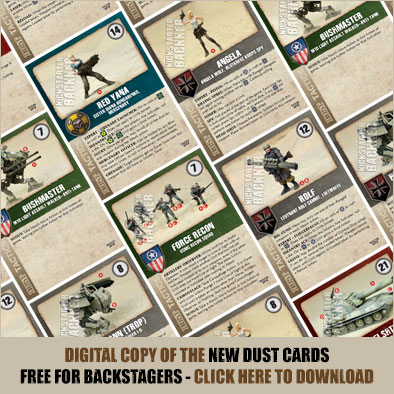
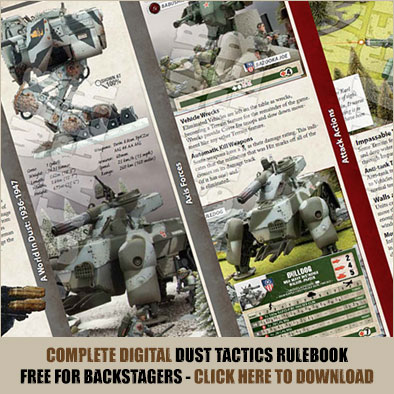
I cannot download these items. My PC wants to convert the file from PDF to word but fails. Any advice please.
That’ll be down to your settings in the PC somewhere, possibly you have set Word to open pdf’s by default instead of Acrobat. One option, right click and select ‘Save Link as..’
Once it’s saved, open it by right clicking and select ‘Open with…’ and then select Abode Acrobat.
yay for free!
As a dust tactics and now a dust battlefield player I continue to be spoilt rotten by these free downloads. Many thanks to Dust Studios Ltd. and BOW.
Thanks Beasts of War for Supproting this games system with these free items
Thanks BoW!!
This is amazing! Thanks guys!
Thank you enormously for all of this BOW now I can play a steam punk Skirmish I have wanted to do for ages cheers guys 🙂 thank you.
Sorry I was not thinking I mean Dust game. This game I saw on here a while ago and have loved your coverage of it I can now play it. Thank you BOW.
P.S I was writing the first post and thinking of Wolsung lol 🙂
Thank you. I will have great fun reading through these. 🙂
Do you have the pdf for the existing units for the new rules too? 🙂
Many thanks, will have a look and decide whether to get more
Nice, thanks guys!
Anyone else having trouble downloading the unit cards? The Op: Babylon download works a treat, but I click on the unit cards and it takes me to the ‘get a backstage pass’ page. (Obviously I’ve got a backstage pass)
And now it’s worked! Excellent support for DUST BoW, cheers for this.
Thanks, I also just picked up the DUST Tactics starter from a local gaming store.
Thanks, always wanted to look into the game.
I am able to download the cards, but clicking on the book download redirects me to backstage signup page… Pretty weird…
Yeah, I’m having the same problem… Downloaded fine on my PC, but on my ipad it thinks I don’t have a backstage pass (I do!)