












Infinity terrain: updating cardboard buildings (Mototronica pack)


Part 7: Failing is ok
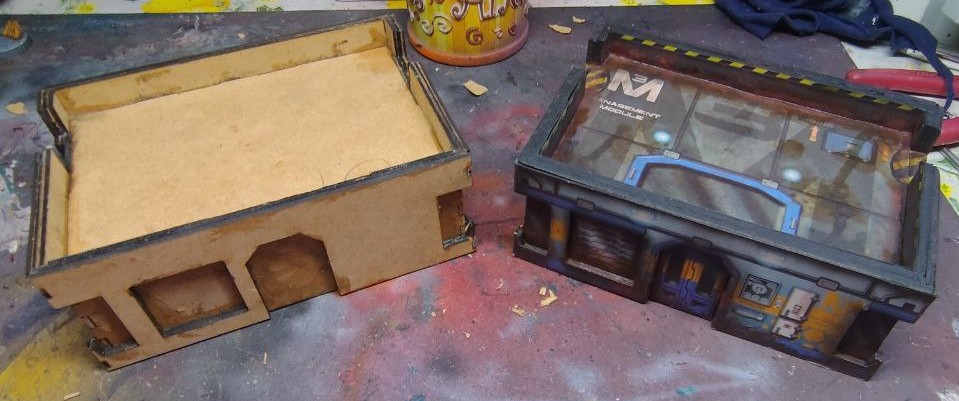 New building, lots of problems
I thought I had everything under control.
I made changes, rebuilding the vector designs for the laser cutter from scratch again, been really careful about dimensions and calculations.
And then I realized the MDF wood I had was 2mm thick, not 3mm as I thougth.
Lessons learned, first check the material, THEN start designing.
The first building I made was from 4mm MDF wood, and while it looked good, was a bit too thick, so I designed the new one thinking that 6mm total thickness (3mm for the inner shell that keeps the roof in place plus a 3mm outer structure) would look better.
If the MDF wood I had at home was 2mm, I could simply add an extra outer layer and gain the 6mm for the roof wall while also getting a deeper door and windows frame.
Win Win.
Except I forgot (again) to take into account the thickness of the material. As a reminder, I’m designing all of this in Illustrator with 2D vector drawings and doing all the 3D math mentally. It’s hard to remember all of that, I need to improve that part of the design process. Maybe I need some kind of CAD program, and a tutorial or two about how to use it.
It looks like this now:
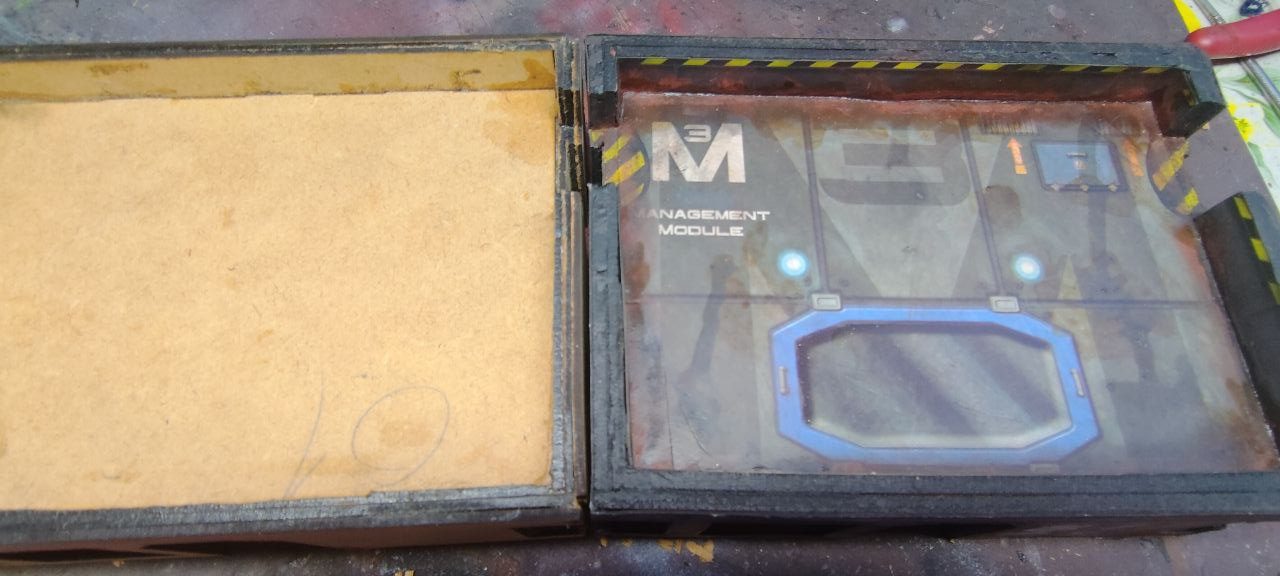
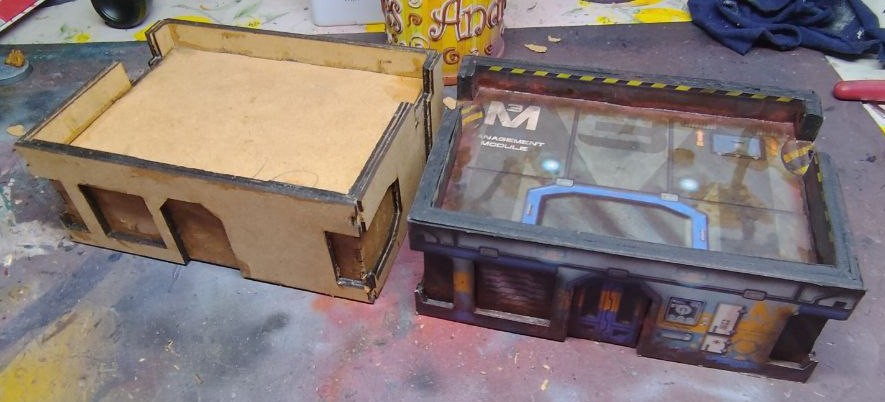
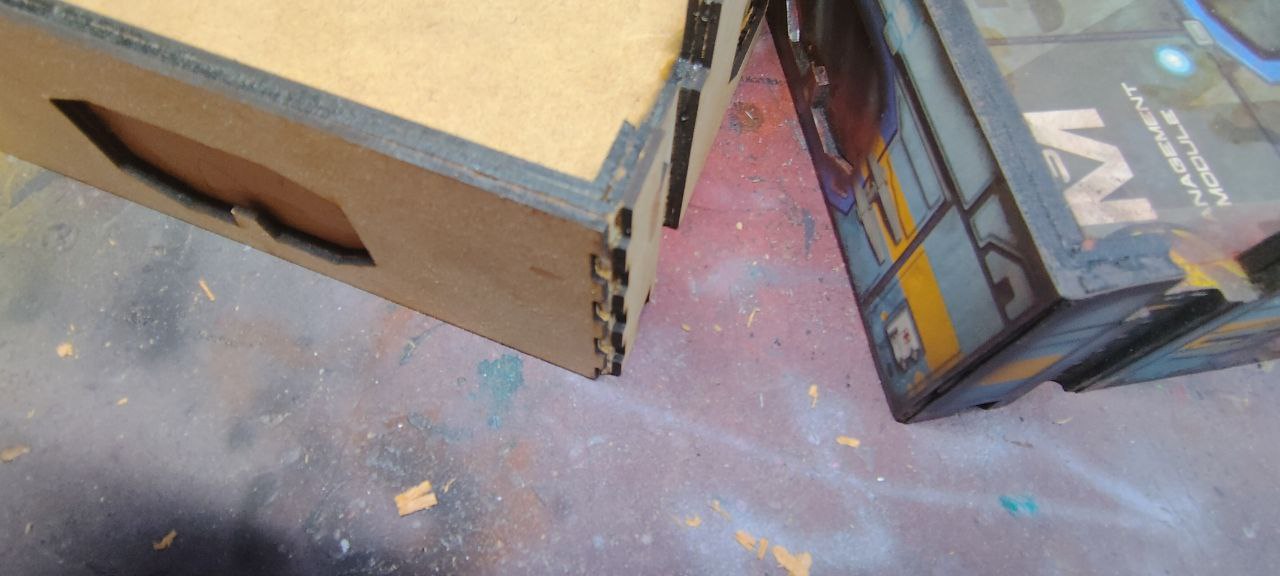
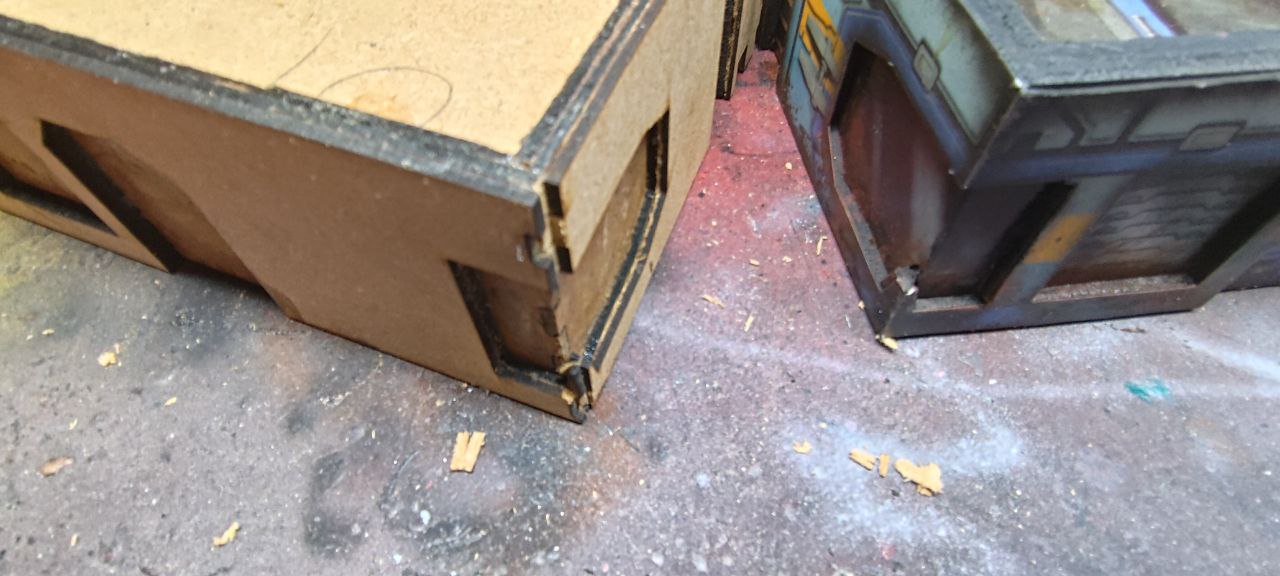
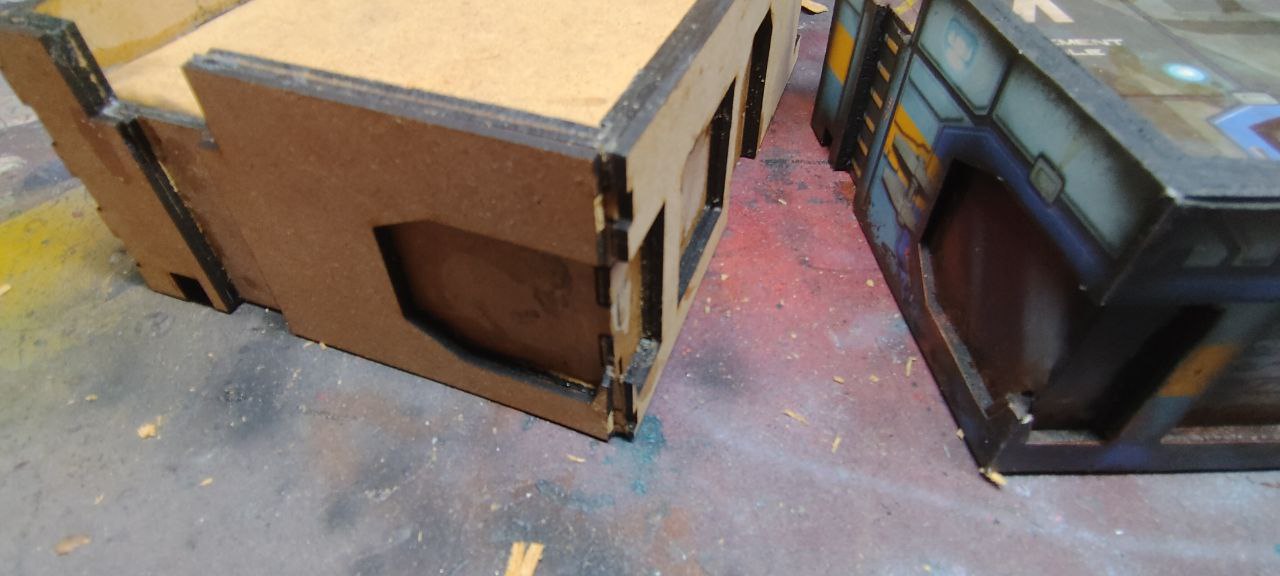
The main thickness has improved and I’m really pleased about how it looks, but all the corners are wrong. I don’t want and can’t make the building bigger, as I’m limited by the size of the original cardboard building.
I could make the two inner layers smaller to compensate, but I can’t be bother to redisign the whole thing again.
So I have an idea, a compromise that might work just fine.
I’m going to bevel the corners.






![Gripping Beast Announce They Are Closing Their Doors [Updated]](https://images.beastsofwar.com/2026/09/gripping-beast-announcement-cover-600-338.jpg)







Proper good upgrades – jobs a good un!
Thank you!